
Contracts clients sign on their phone
Build it once. Send it in two clicks. Signed the same day.
Every planMost contract chasing is self-inflicted: a document rebuilt from scratch each time, emailed as an attachment, printed, signed, scanned and sent back. Slate turns the contract into something the client opens on their phone and signs with a finger.
Who it is for: Anyone who sends the same agreement repeatedly with a few details changed — weddings, commercial work, retainers, model releases, NDAs.
Build the template once
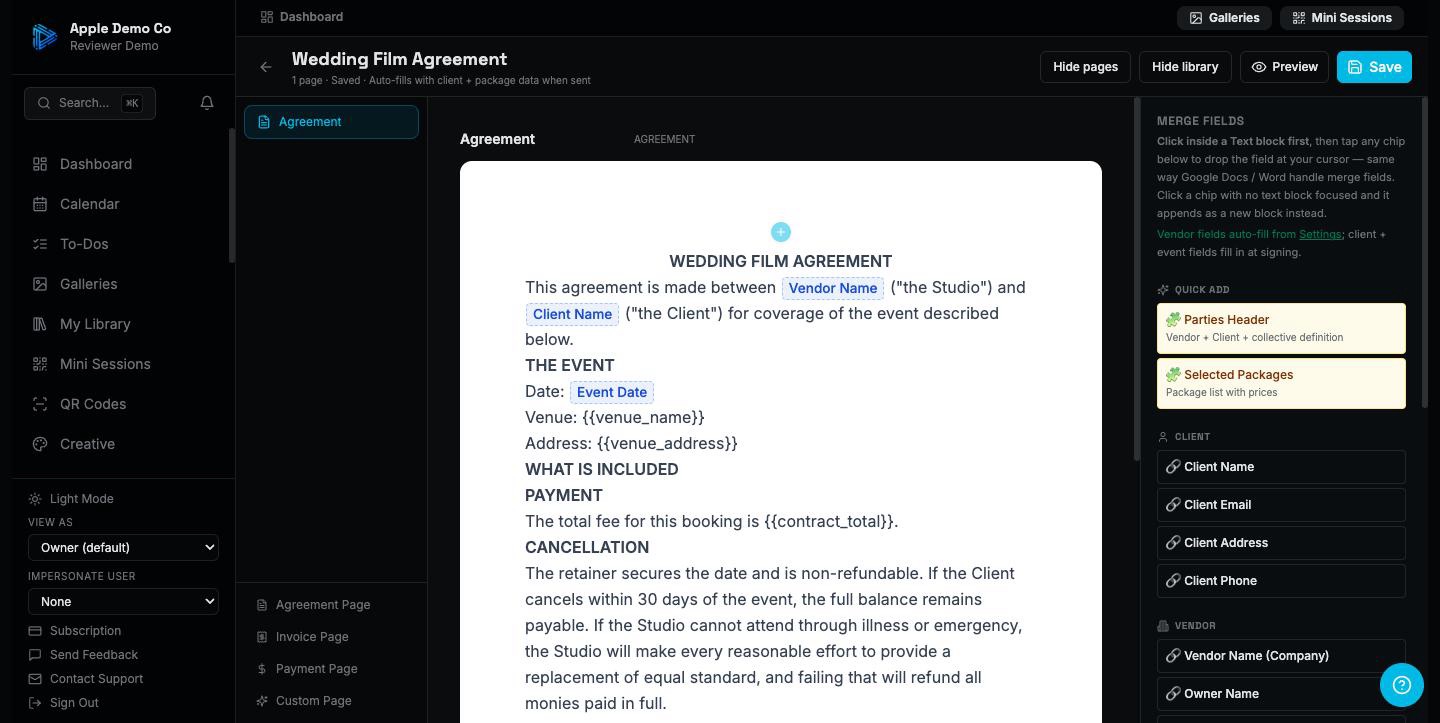
Write your agreement in the editor and drop in merge fields where the details change — client name, event date, venue, price, deposit. Drag a field to where you want it. The template is yours and it stays put; you are not re-writing the travel clause for the hundredth time.
Pick the services and the price
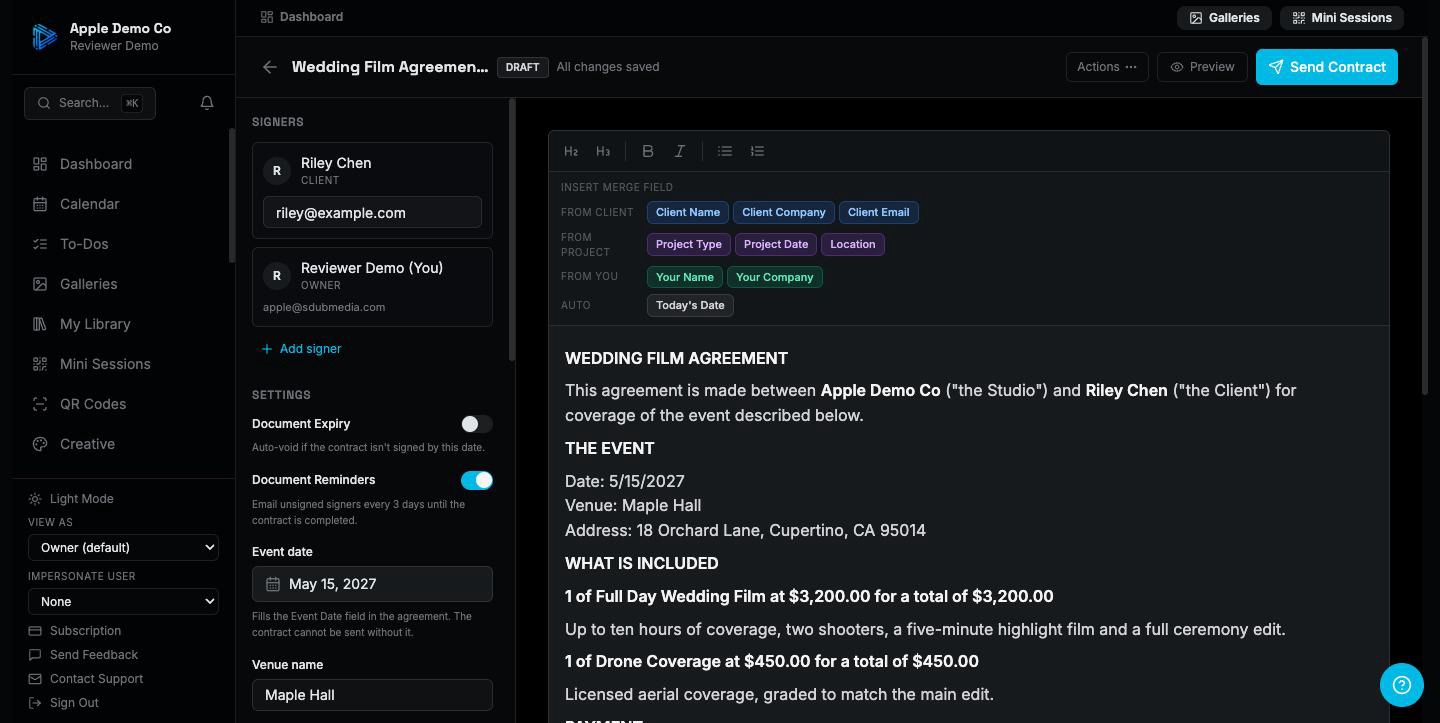
Starting a contract from that template, choose what the client is actually buying from a dropdown of your packages. The document writes the services list and the total itself. Set a deposit as a percentage or a flat figure, add the event date and venue, and Slate will not let you send until the required pieces are filled in.
Send it, and let them sign on their phone
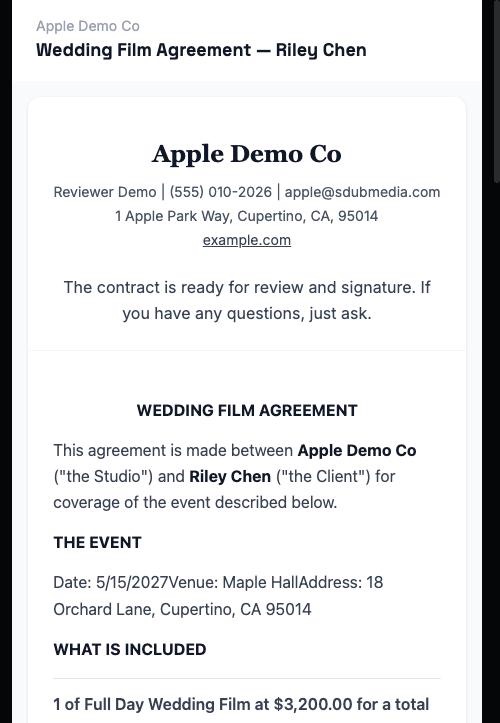
They get a link. No account, no app, no printer. They read it, type or draw their signature, and it is done. If more than one person needs to sign, each gets their own link and the document is only final once everyone has signed. You countersign afterwards.
The invoice goes out with the signature
If you want it to, the moment they sign the attached invoice is sent and they are shown a pay link on the confirmation screen — pay the deposit or pay in full, right then, while they are still holding their phone. That is the most likely moment you will ever get paid, and it no longer requires you to notice and follow up.
Free templates for this
Not ready for the app? These do a piece of it by hand, free and with no signup.
Also included
- Automatic reminders for signatures that have not come back
- An expiry date, so an unsigned quote does not linger forever
- A readiness check that tells you what is missing before you can send
- An activity log showing every send, view, signature and payment on that contract
- A client who has signed something cannot be deleted by accident — the record is kept
- Contracts that are not tied to a shoot at all, for NDAs, model releases and the like
A contract is only useful once it is signed. Everything here is aimed at shortening the gap between sending it and that happening.
14-day trial on paid plans. No credit card.