
Booking a shoot and running your calendar
Everything in Slate hangs off a booking. Start here.
Every planA booking is the thing the rest of the app is built around. Once a shoot exists, the invoice, the contract, the gallery and the crew assignments all point at it. So Slate makes booking the fastest thing you do, not the most tedious.
Who it is for: Anyone shooting more than a couple of jobs a month who is currently holding the schedule in a notes app, a shared calendar, or their head.
Pick what kind of job it is
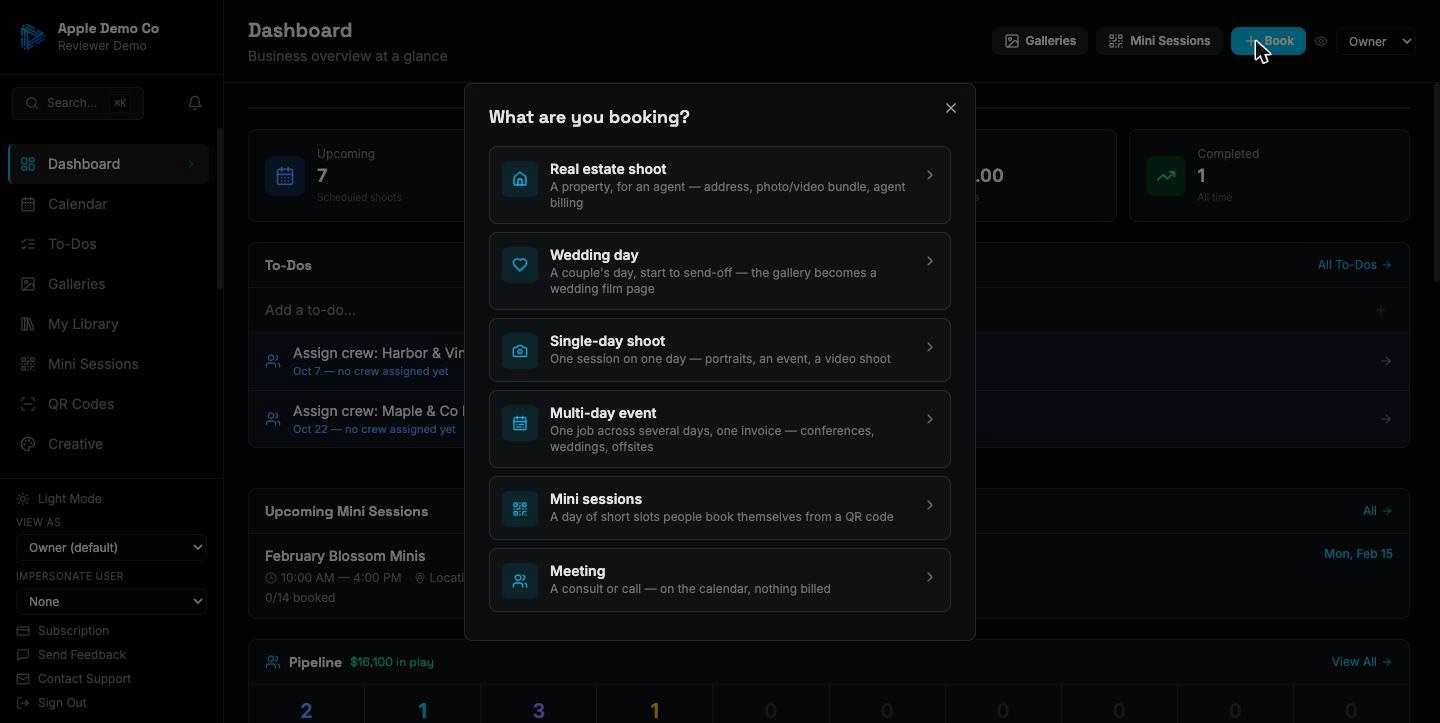
Press Book and choose the shape of the work: a real estate shoot, a wedding day, a multi-day production, a mini session, or a plain meeting. The choice sets up sensible defaults so you are not filling in a blank form. On a brand-new account it also creates the project type you need, so you are never asked to go and configure a list before you can book your first job.
Fill in the client, date and location
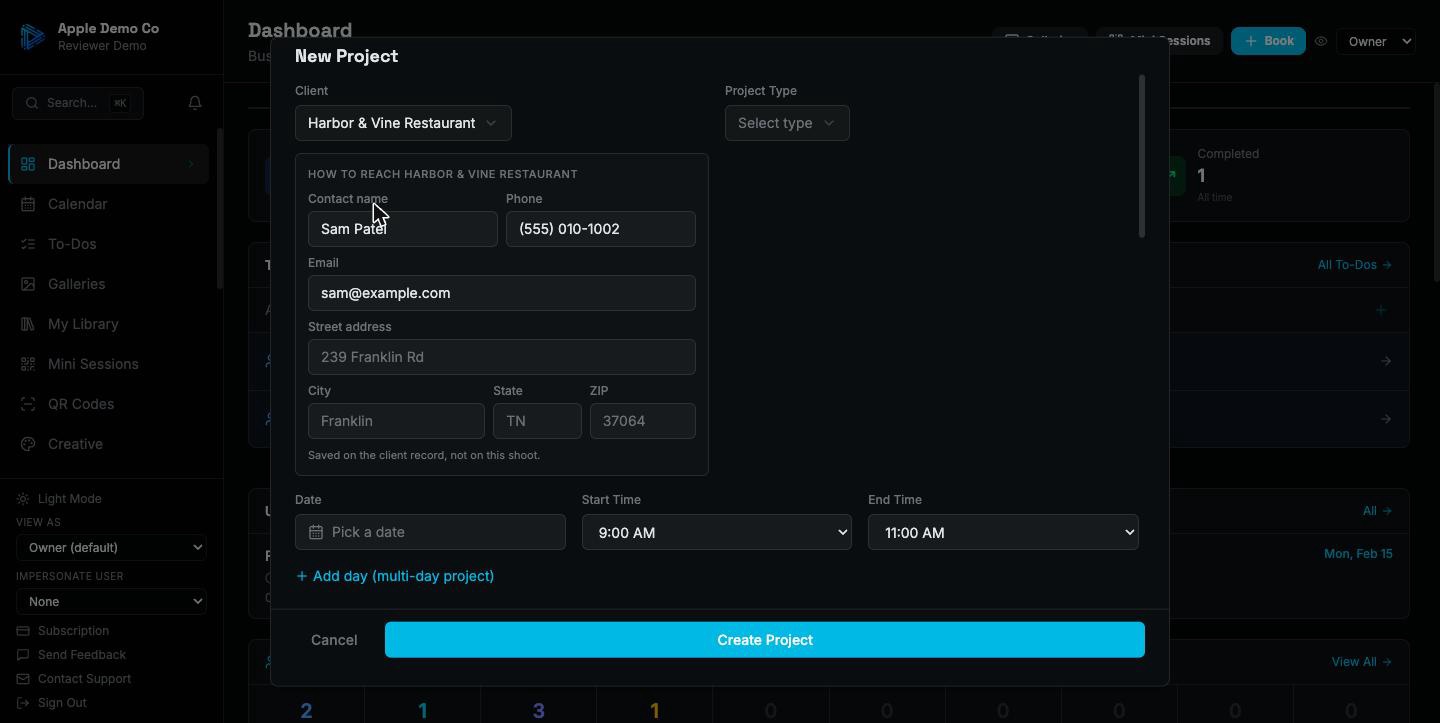
Pick a client or create one inline without leaving the form. Addresses are structured rather than a single text box, so you can paste a whole address in one go and it splits itself into street, city, state and ZIP — which means it maps properly and reads the same everywhere it appears later.
Assign your crew and their pay
Add the people working the job and what each is paid for it — a flat rate or an hourly one. Everyone assigned gets told, by push and email, once per job. That number flows into the profit figures later without you entering it twice.
It lands on the calendar, and on everyone's phone
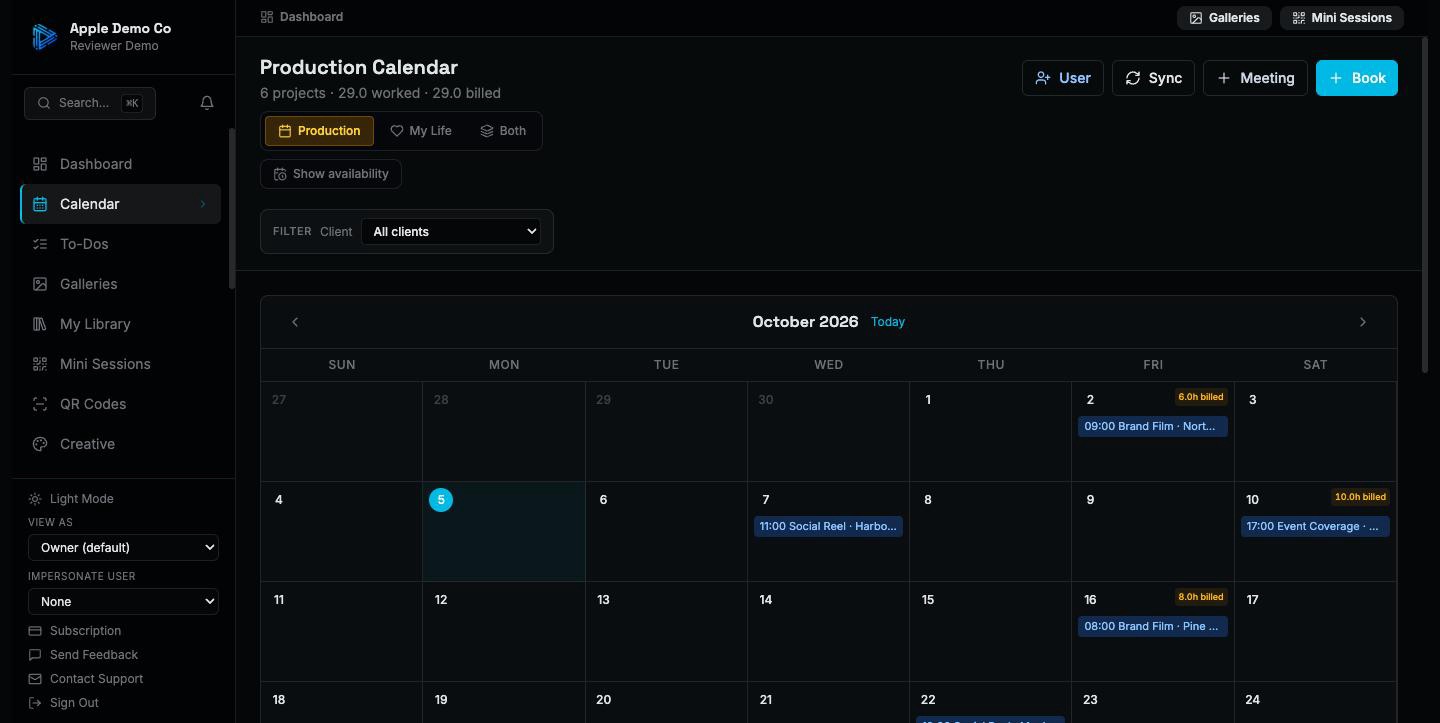
The shoot appears on the production calendar straight away. A multi-day job spans its days rather than cluttering the grid with separate entries. Each person has their own calendar feed, so your crew subscribe once and see only their own work in Apple Calendar or Google Calendar from then on.
Free templates for this
Not ready for the app? These do a piece of it by hand, free and with no signup.
Also included
- Multi-day productions carry a separate call time and crew list for each day
- Availability view so you can see who is free before you promise a date
- Conflict warnings when you double-book a person
- Personal events kept separate from production work, visible only to you
- Meetings as unpaid calendar entries, with a per-meeting switch for whether the client sees them
- Cancelled shoots bill zero and stay on the record rather than disappearing
The point is that you book once. Everything downstream — the contract, the invoice, the gallery, the crew's pay, the mileage — reads from that one booking instead of asking you to type it again.
14-day trial on paid plans. No credit card.