
Crew, rates and your team's own login
Your crew see their work. They do not see your margins.
Every planThe moment you work with other people, you need them to know where to be without a dozen messages, and you need to know what the job cost you. Slate does both without handing anyone your books.
Who it is for: Anyone hiring second shooters, camera ops, editors, assistants, or running a small team.
Set up your people and their rates
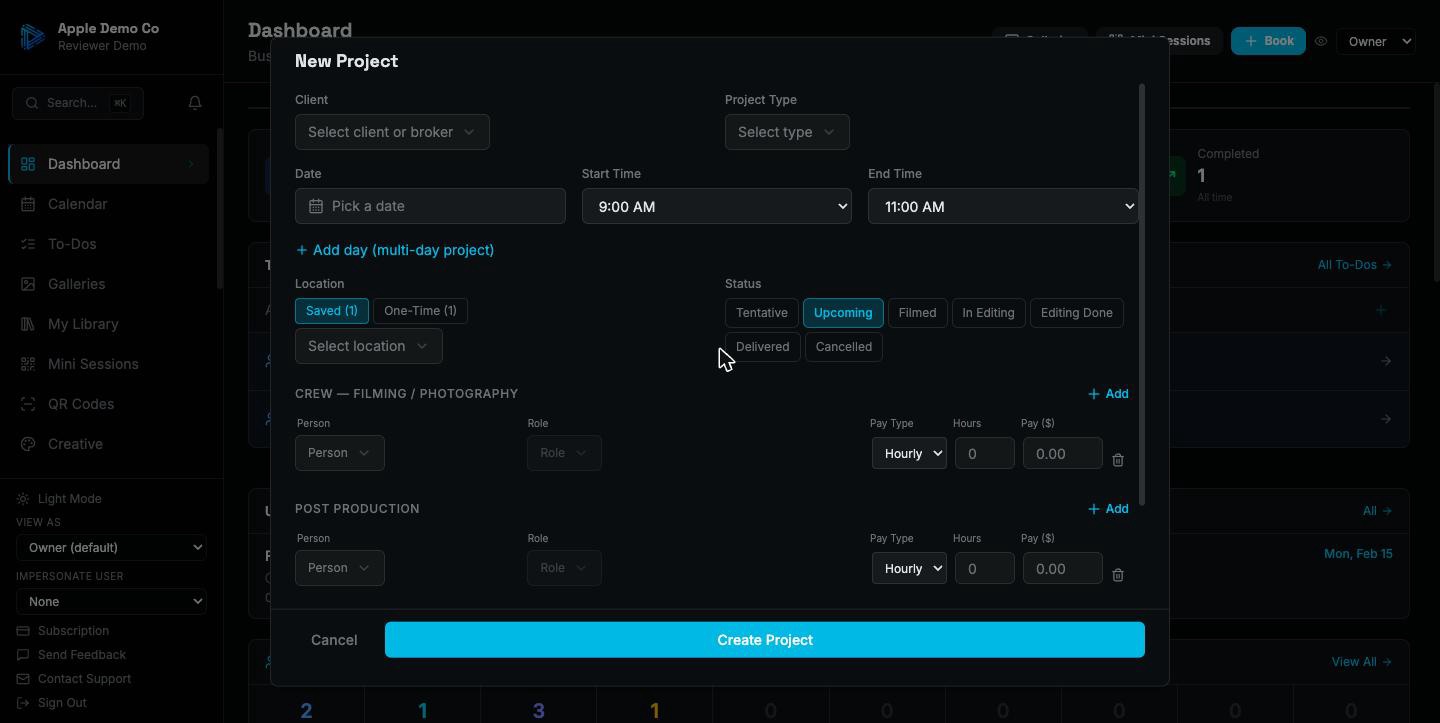
Each crew member has their roles and what they are paid for each — hourly or a flat day rate. When you assign them to a shoot, the right rate fills itself in.
Assign them to the job
Add the people working the shoot. Everyone with a login is told once per job, by push and email. On a multi-day production each day carries its own crew list.
They get their own login
Staff see their schedule, the shoots they are on, and what they are owed. They do not see what you charged the client or what anyone else is paid. Editors see the galleries sent to them with the note you attached.

They invoice you themselves
Contractors submit their own invoices through the app against the work they did, so you are not transcribing a PDF someone emailed you. At year end the 1099 summary is already assembled.
Free templates for this
Not ready for the app? These do a piece of it by hand, free and with no signup.
Also included
- Availability, so you can see who is free before promising a date
- Shoot confirmations where flagged crew confirm they can make it
- A crew report showing what each person worked and earned over a period
- Each person's own calendar feed, showing only their own jobs
Your crew knowing where to be, and you knowing what the job cost, should not require any messages at all.
14-day trial on paid plans. No credit card.